See how orbit connects daily service work.

orbit brings client records, cases, appointments, events, employers, job postings, follow-ups, documents, and reporting into one connected system for employment service teams.

Each workflow is designed around the way teams actually move through the day.

See how daily service work connects.

From client records to reporting, orbit keeps related work close together so staff can move without losing context.

01

Client and case work

01 / Client records

Start with a clear picture of each person.

Client records help staff quickly find who they are looking for, understand where someone is in service, and see what needs attention next before opening the full profile.

Key workflows: Assigned and all-client views · Status and last-contact visibility · Staff ownership at a glance
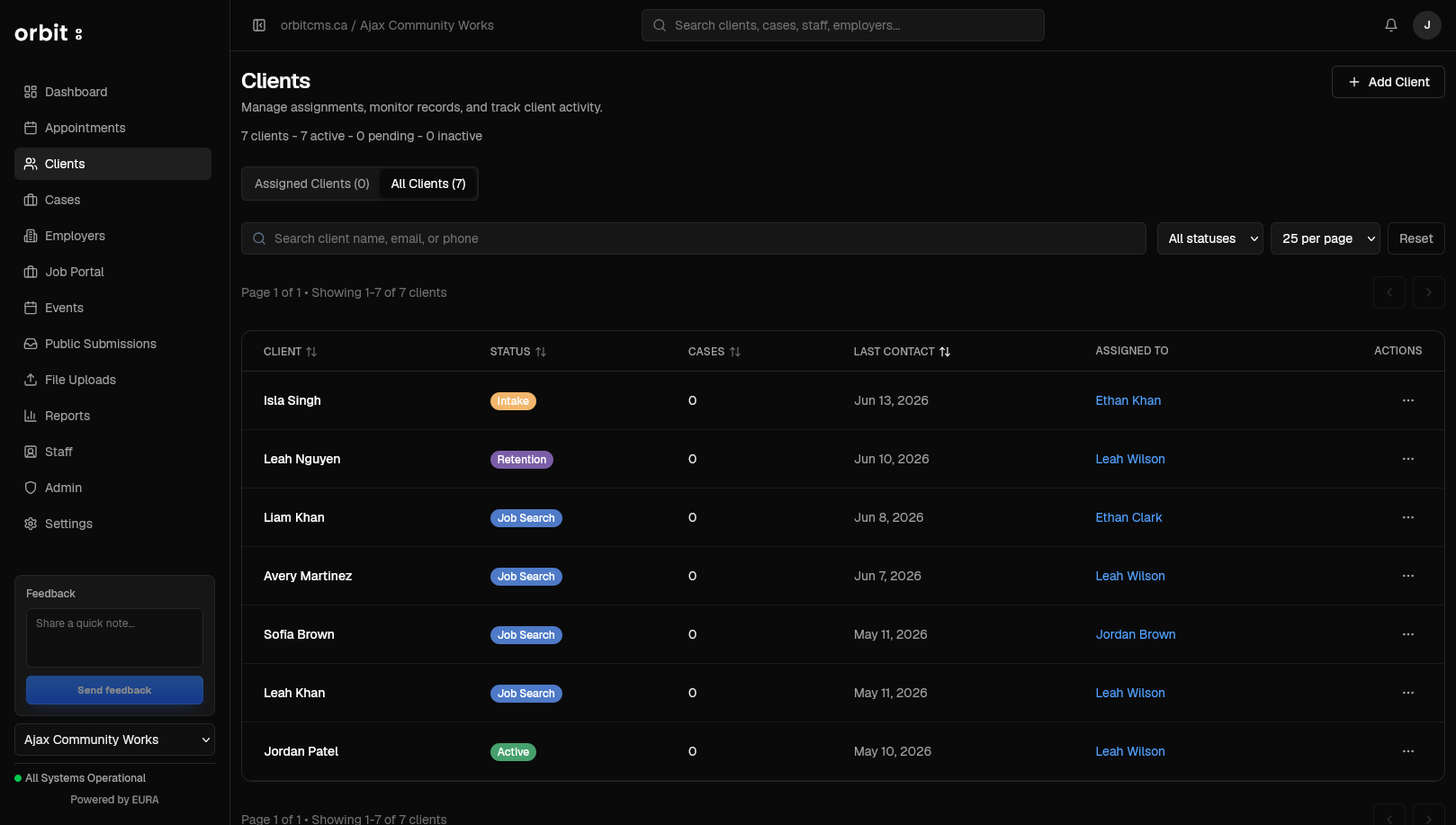
Client Management screen in orbit

All information is fictional and randomly generated.
02 / Case work

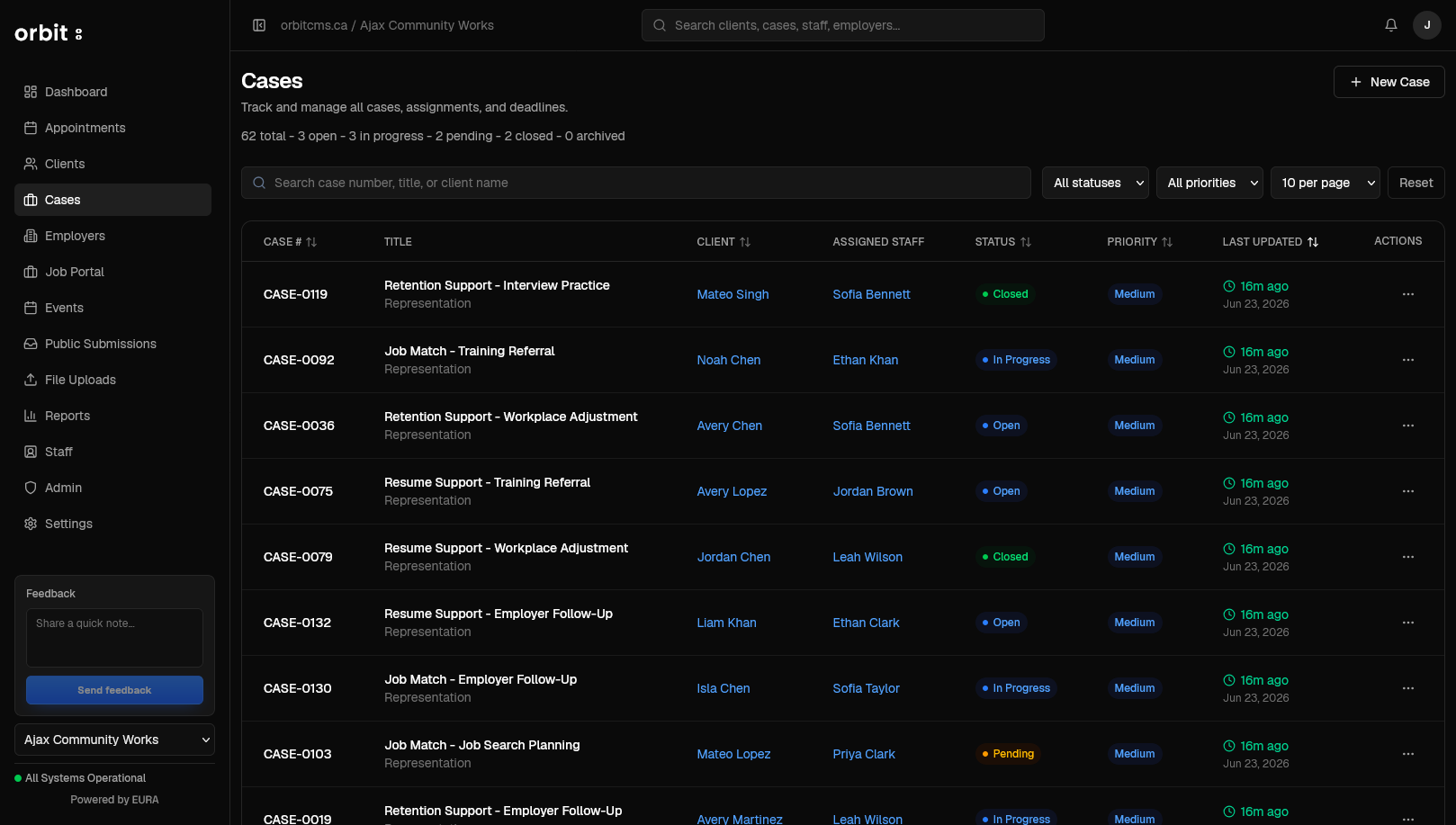
Keep service work moving from intake to outcome.

Cases give staff a practical way to track goals, updates, assignments, priority, and progress, so everyone can see what is happening and what comes next.

Key workflows: Case status and priority · Client and staff connections · Recent activity cues

Case Management screen in orbit

All information is fictional and randomly generated.
03 / Follow-ups

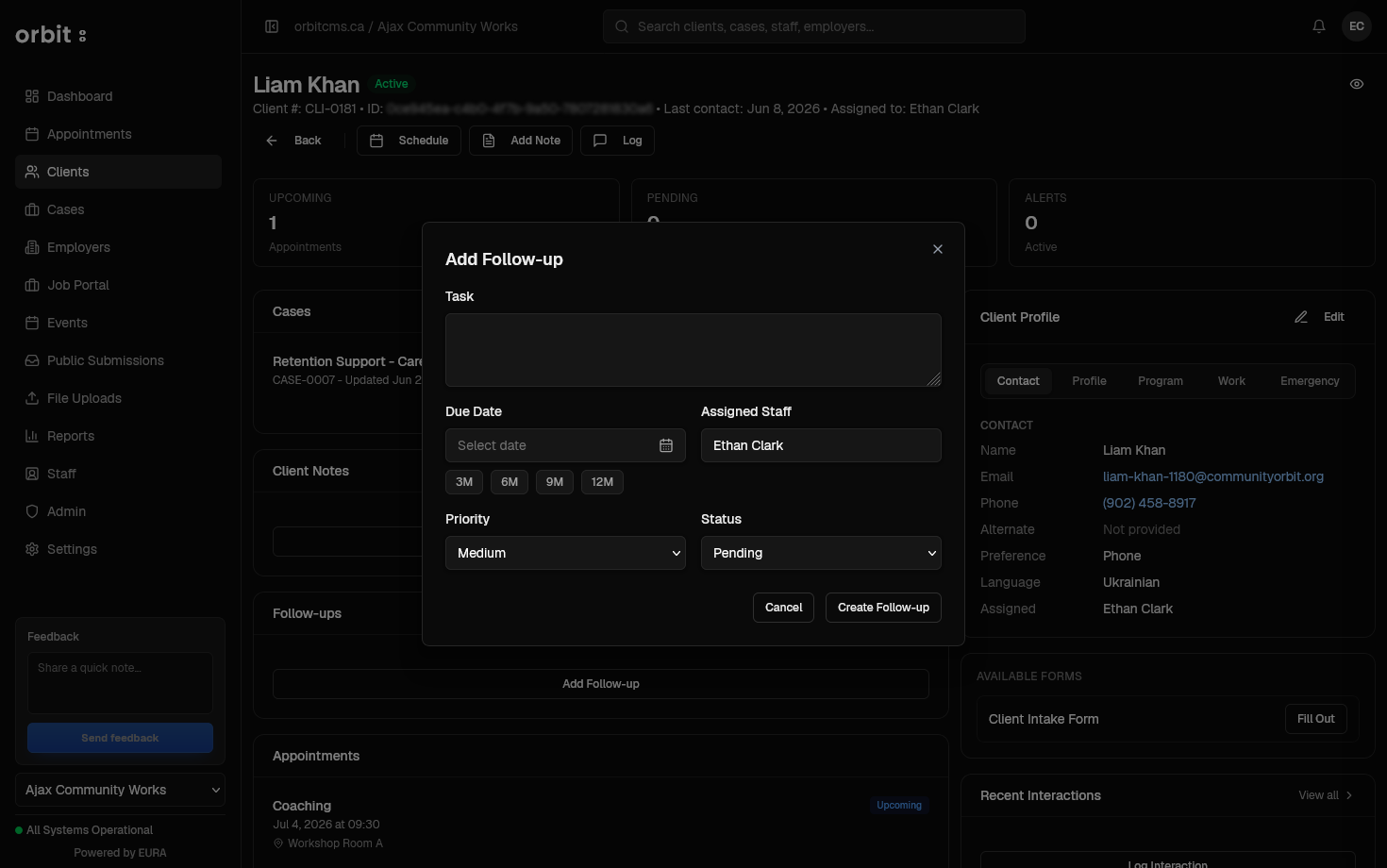
Keep next steps where staff actually need them.

Follow-ups live close to the client record, making it easy to create tasks, assign ownership, set due dates, and keep service work moving.

Key workflows: Related-record context · Assigned follow-up tasks · Due date and status tracking

Tasks & Follow-ups screen in orbit

All information is fictional and randomly generated.
02

Scheduling and programming

04 / Scheduling

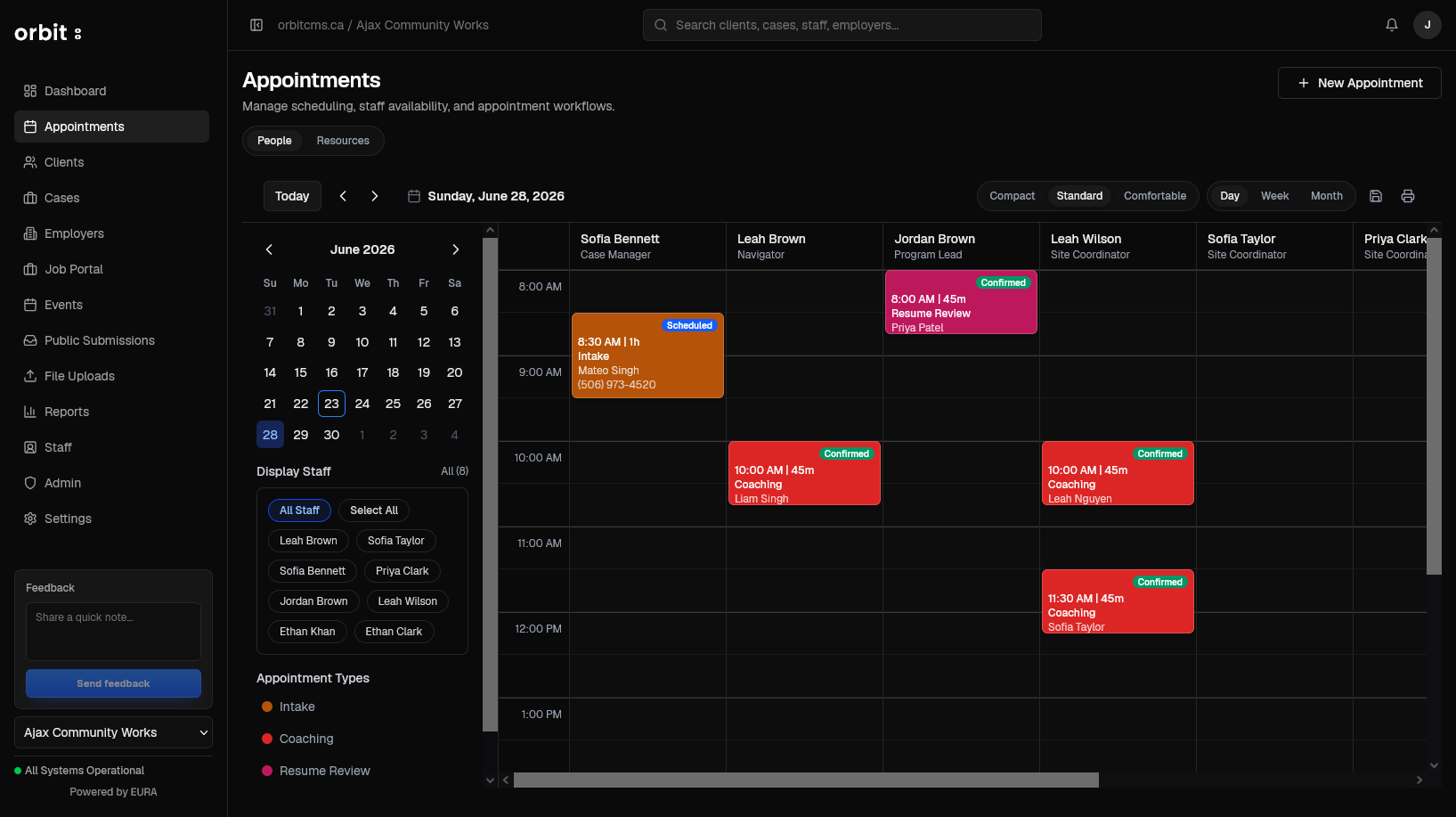
Coordinate appointments around real staff availability.

The scheduling view helps teams manage appointments, staff calendars, service touchpoints, and appointment types in one place, without separating scheduling from day-to-day service work.

Key workflows: Staff and resource views · Appointment type indicators · Daily and broader schedule controls

Appointments & Scheduling screen in orbit

All information is fictional and randomly generated.
05 / Events

Manage workshops, sessions, and attendance with less manual work.

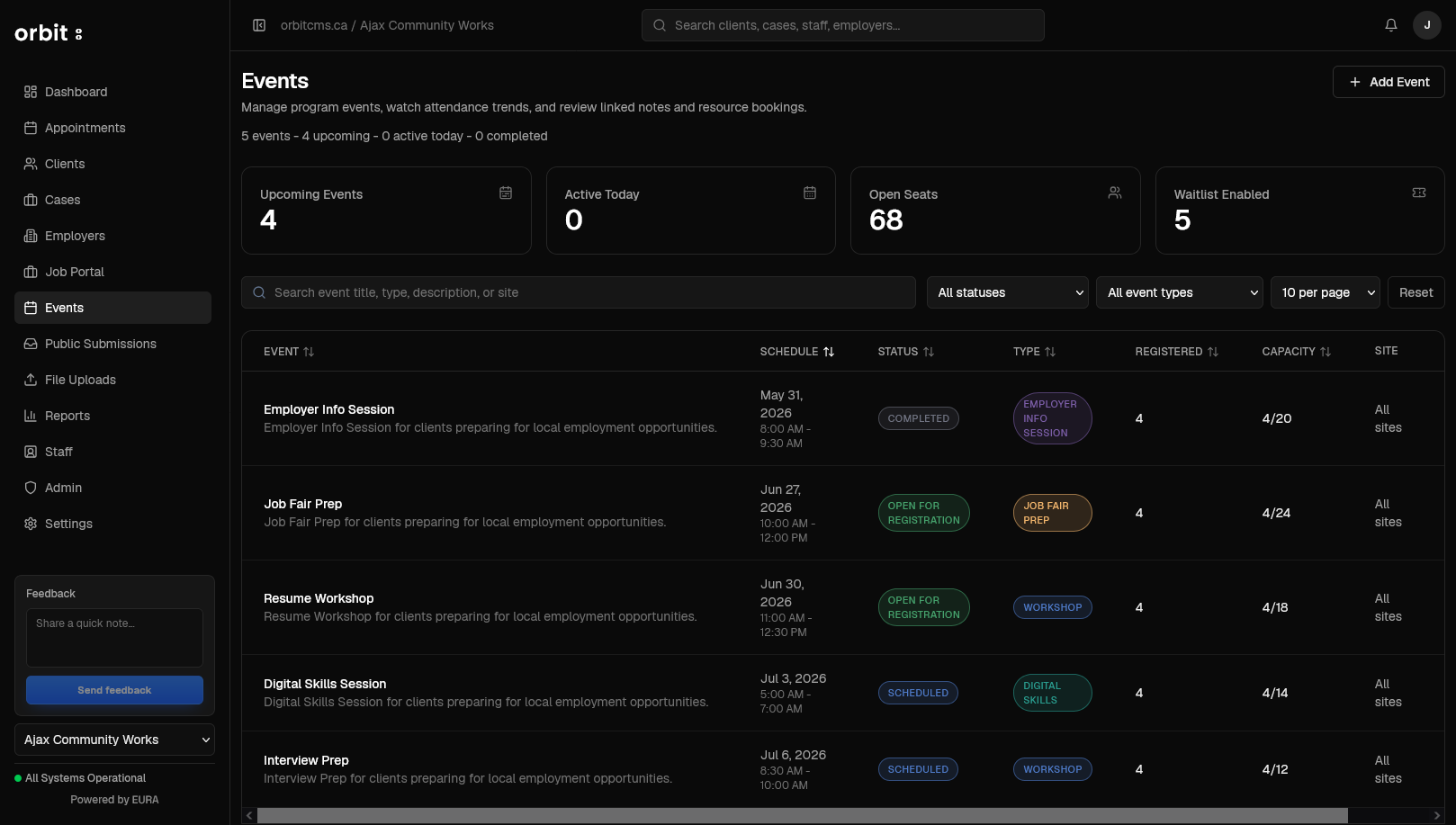
Events give teams a simple place to plan group programming, manage registrations, track capacity, handle waitlists, and follow up after the session.

Key workflows: Registration and waitlist signals · Capacity and attendance context · Workshop and event categorization

Events & Workshops screen in orbit

All information is fictional and randomly generated.
03

Employer and outcome work

06 / Employers

Make employer relationships easier to manage.

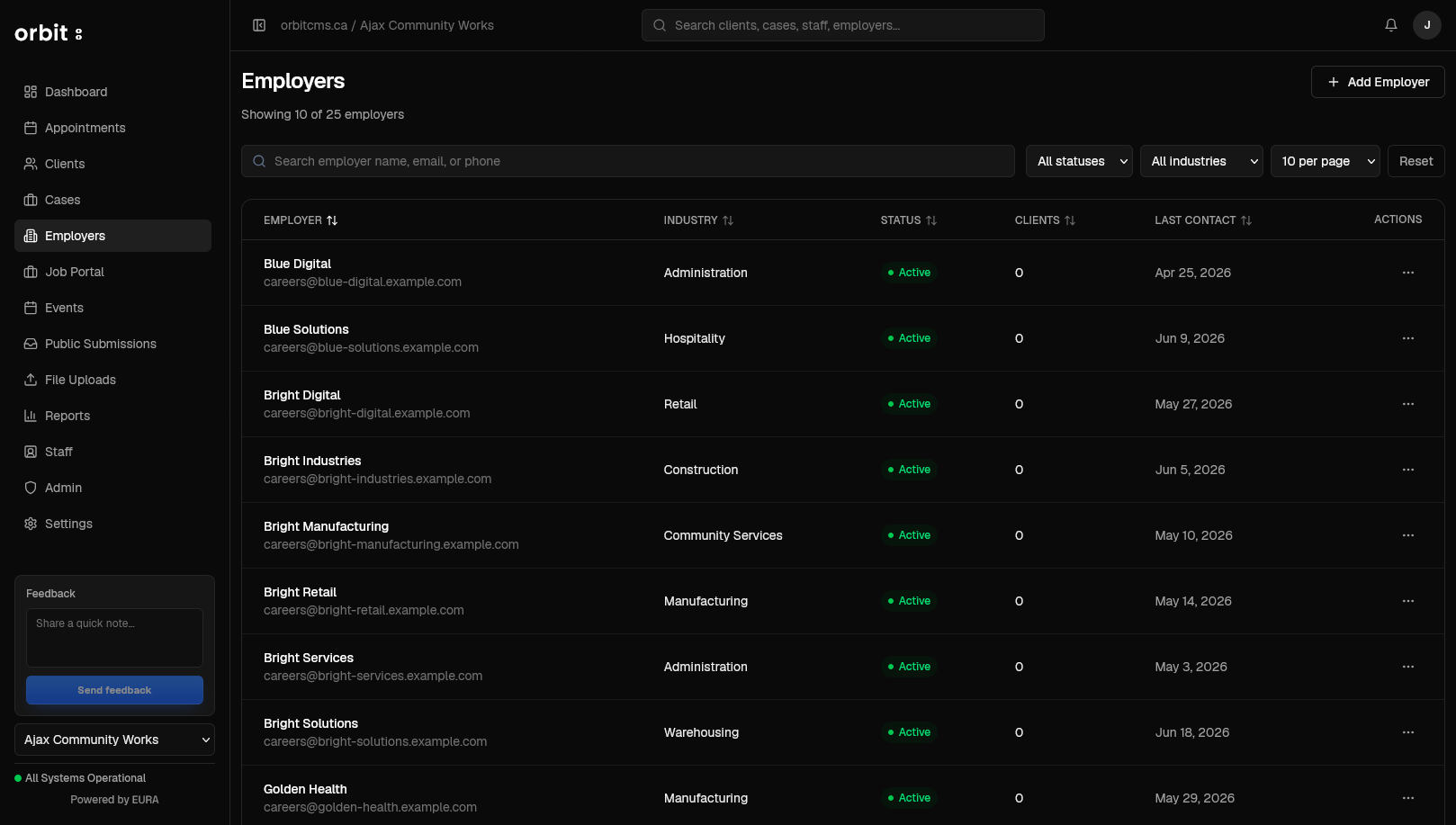
Employer records help teams keep track of organizations, contacts, industries, hiring needs, relationship status, and recent engagement without digging through separate notes or spreadsheets.

Key workflows: Employer search and filters · Industry and status tracking · Relationship history context

Employer Management screen in orbit

All information is fictional and randomly generated.
07 / Job portal

Connect jobs, employers, and client activity.

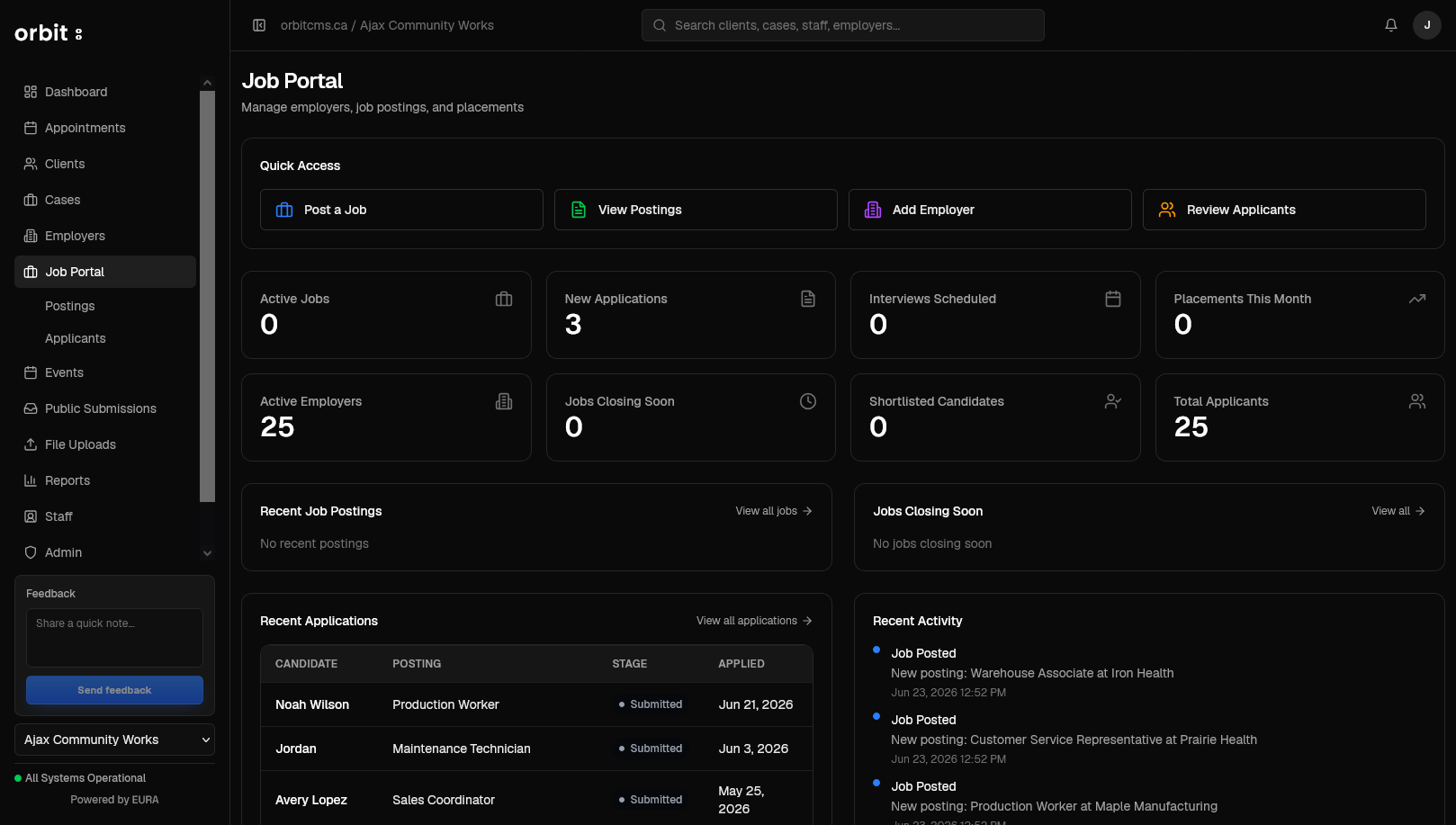
The job portal brings postings, applications, employer activity, and placement signals together so staff can manage opportunities without jumping between disconnected tools.

Key workflows: Posting and applicant actions · Application activity · Employer and placement visibility

Job Postings & Applications screen in orbit

All information is fictional and randomly generated.
08 / Reports

Turn daily work into useful visibility.

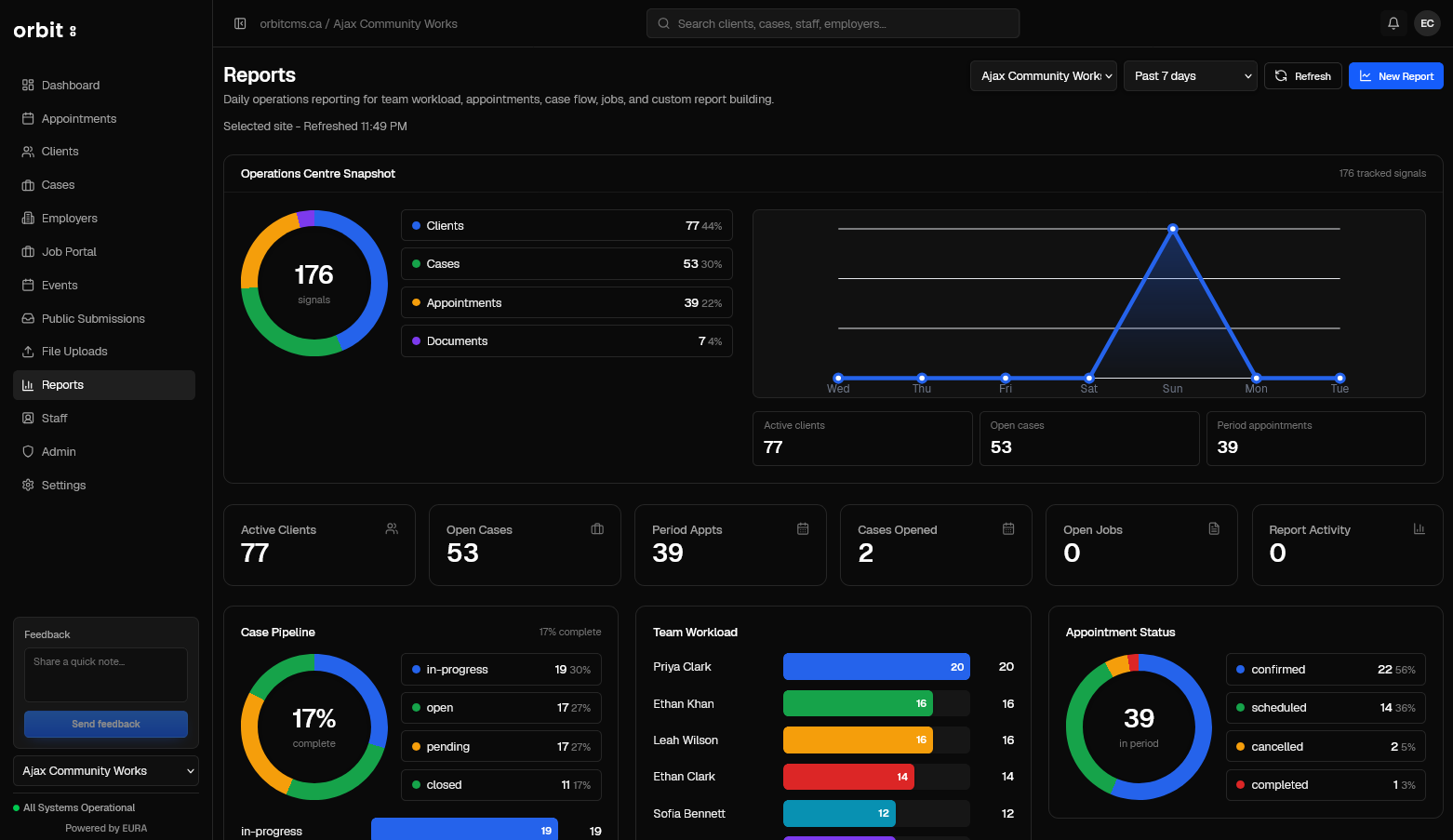
Reporting helps managers see what is happening across clients, cases, appointments, events, employers, jobs, and team activity without rebuilding reports by hand.

Key workflows: Operational dashboard · Workload and appointment views · Activity and case reporting

Reporting screen in orbit

All information is fictional and randomly generated.
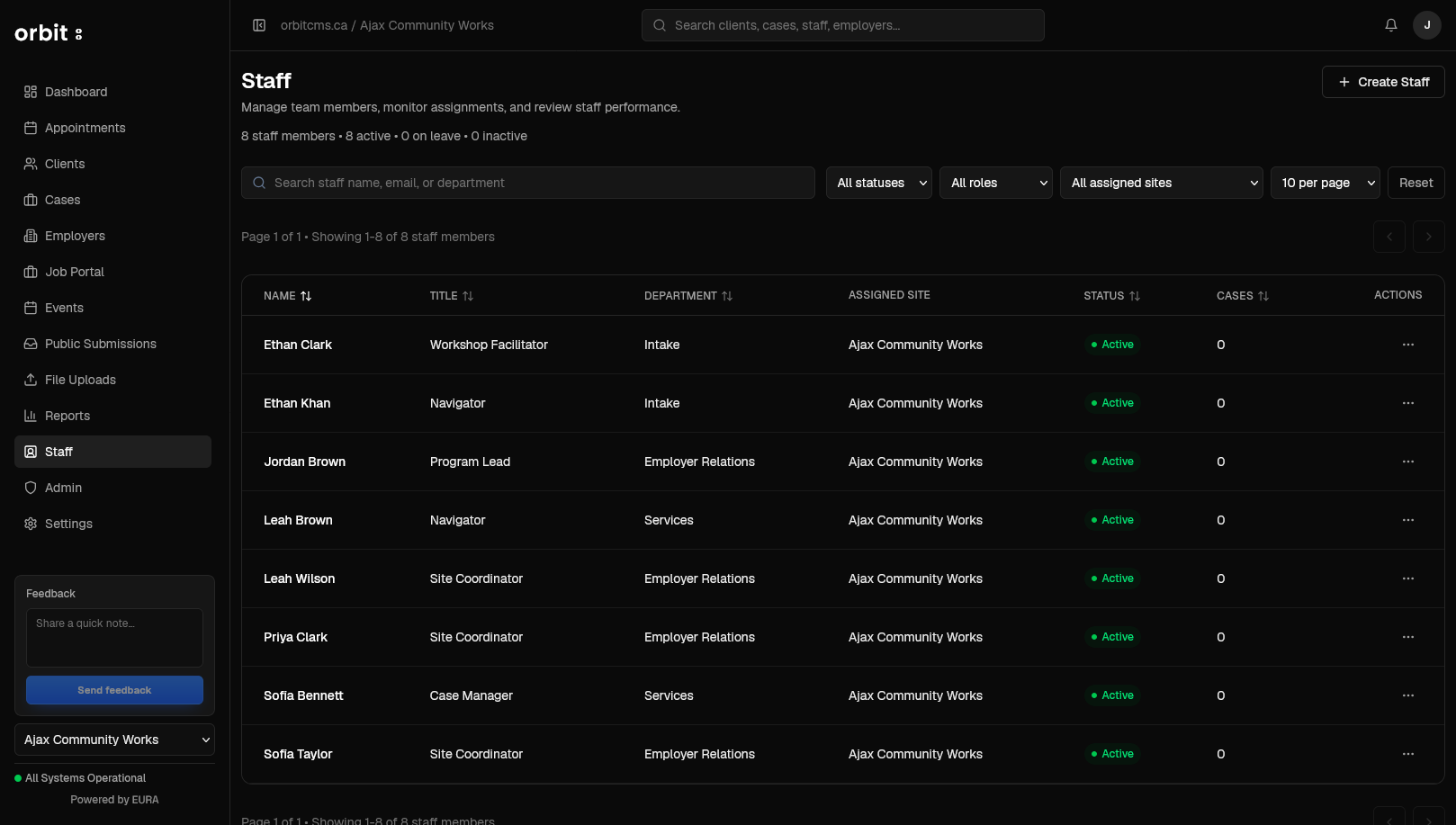
09 / Staff

Keep roles, access, and ownership organized.

Staff views help administrators and managers manage users, permissions, assigned sites, active roles, and case ownership from one clear place.

Key workflows: Role and department visibility · Assigned site tracking · Staff status and ownership

Staff Management screen in orbit

All information is fictional and randomly generated.

Built to grow with your organization.

orbit is designed to support daily service delivery today, while continuing to expand around deeper reporting, integrations, portal access, and configuration needs.

Available today

  • Client records
  • Cases
  • Appointments
  • Events
  • Employers
  • Job postings
  • Follow-ups
  • Reporting views

Expanding over time

  • Deeper reporting
  • Import/export workflows
  • More configurable work areas
  • Portal access
  • Integration support

Designed for growth

  • Multi-site teams
  • Program-specific workflows
  • Funder and reporting needs
  • Operational visibility
  • Service delivery changes

Want to see how orbit works?

Book a demo and we'll walk through the work your team handles every day.